
Stop Blaming React: The Real Performance Problems in Your UI
Most React applications are not slow because React is slow. They become slow because of unnecessary renders, misplaced state, oversized bundles, expensive list rendering...

React Performance in Practice: Renders, Context, Lists, INP, and Code Splitting
If you’ve spent enough time working on React applications, you’ve probably heard someone say:
“React is slow.”
In most cases, React is not the problem.

Modern React is remarkably efficient. The real performance issues usually come from application architecture, unnecessary rendering, excessive JavaScript execution, oversized bundles, and expensive operations happening at exactly the wrong time.
Many teams reach for useMemo() and useCallback() as soon as they notice performance issues. Unfortunately, this often treats symptoms instead of causes.
The reality is much simpler:
Performance optimization in React usually comes down to reducing unnecessary work.
Less rendering.
Less JavaScript.
Less DOM.
Less network activity.
Less blocking work on the main thread.
Let’s walk through the techniques that consistently produce measurable improvements in real-world applications.
Measure First, Optimize Second
Before touching a single line of code, identify where the slowdown actually comes from.
A sluggish interface may be caused by:
unnecessary React renders
expensive JavaScript calculations
layout recalculations
excessive DOM nodes
network requests
image loading
bundle size
Without measurement, optimization becomes guesswork.
Core Web Vitals Still Matter
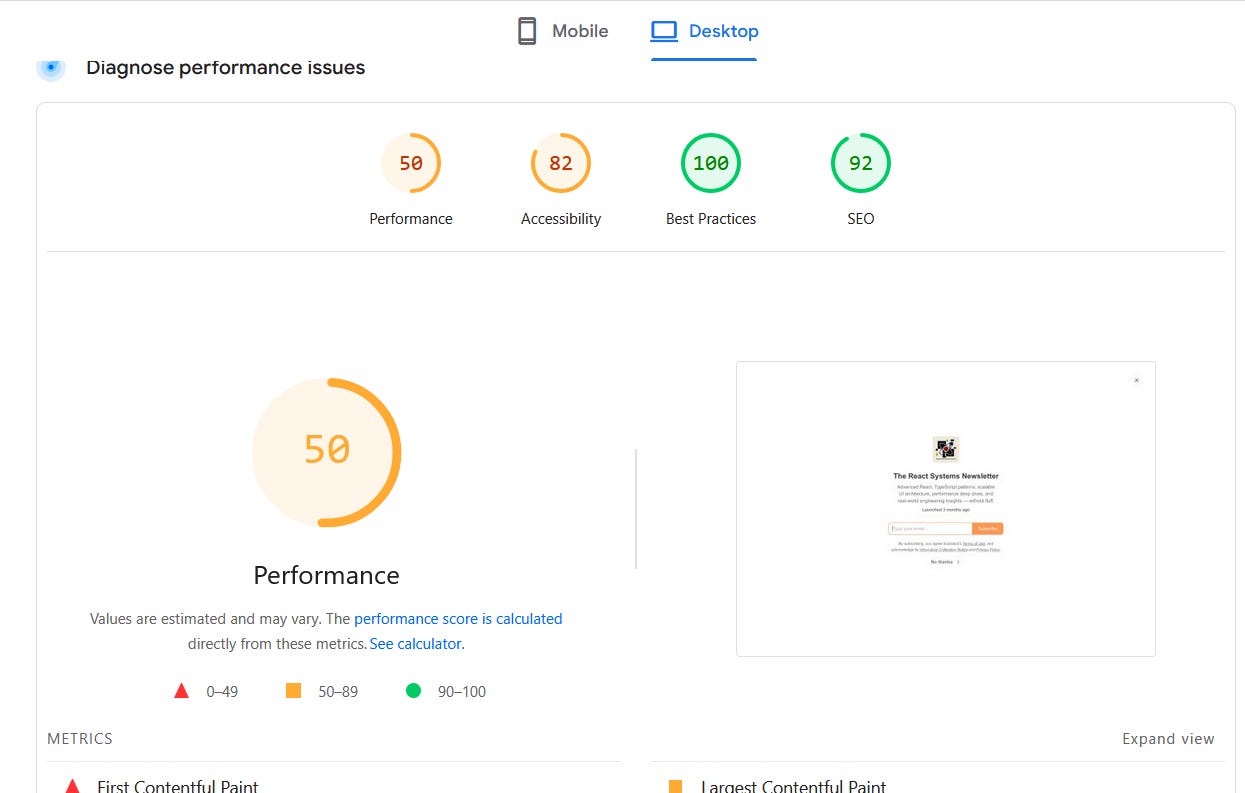
The most important user-facing metrics remain:
LCP (Largest Contentful Paint)
CLS (Cumulative Layout Shift)
INP (Interaction to Next Paint)
INP is especially important because it measures how quickly the interface responds after a user interacts with it.
A button click that takes 800ms before the UI updates may feel broken even if everything else loads quickly.
Useful Tools
For React applications, the most valuable tools are:
Lighthouse
Chrome Performance Panel
React DevTools Profiler
React Render Reason Tracking
Bundle Analyzers
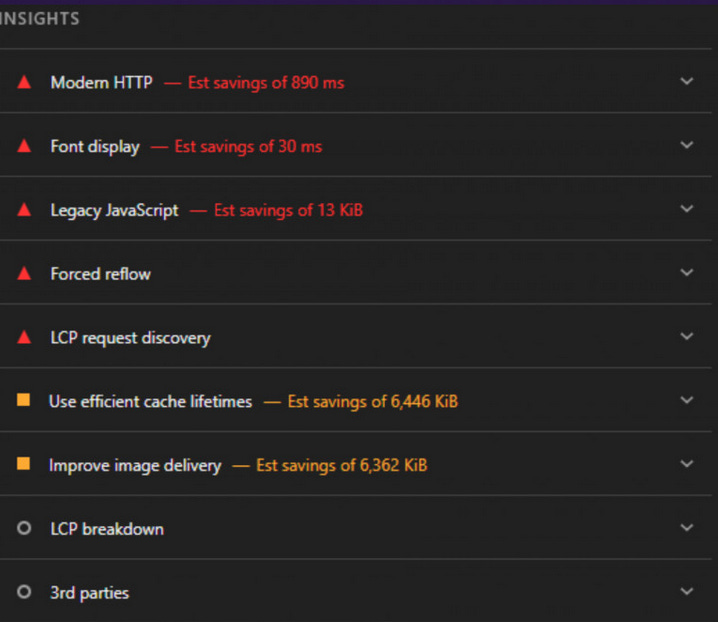
React Profiler is particularly useful because it answers two critical questions:
Which components rendered?
Why did they render?
Without that information, it’s impossible to know whether an optimization is actually helping.
Understanding What Actually Causes Re-renders
One common misconception is that components re-render because their props changed.
That is not entirely accurate.
A component can only discover that props changed when React decides to render it.
In practice, render work starts because of one of three events:
Local state changes.
A parent component renders.
Context values change.
The updated props are simply the result of a parent render.
Understanding this distinction helps explain why large component trees often become expensive.
A state update high in the tree can trigger rendering work across a significant portion of the application.
Keep State Close to Where It Is Used
One of the most common architectural mistakes is placing state too high in the component hierarchy.
Consider a product search page.
Bad approach:
export function ProductPage() {
  const [searchText, setSearchText] = useState('');

  return (
    <>
      <SearchBox
        value={searchText}
        onChange={setSearchText}
      />

      <NavigationSidebar />
      <ProductCatalog />
      <Footer />
    </>
  );
}
Every keystroke causes ProductPage to render again.
That means:
NavigationSidebarrendersProductCatalogrendersFooterrenders
even if none of them care about the search value.
A better approach is state colocation.
function SearchBox() {
  const [searchText, setSearchText] = useState('');

  return (
    <input
      value={searchText}
      onChange={(event) => {
        setSearchText(event.target.value);
      }}
    />
  );
}
Now only the component that owns the state updates.
This single change often eliminates hundreds of unnecessary renders.
Don’t Store Derived State
Another common performance and maintenance issue is storing values that can already be calculated.
Bad:
const [visibleProductCount, setVisibleProductCount] = useState(products.length);Followed by:
useEffect(() => {
  setVisibleProductCount(products.length);
}, [products]);
This creates:
extra state
extra effects
extra renders
synchronization bugs
Instead:
const visibleProductCount = products.length;No effect.
No synchronization.
No bugs.
No additional render cycle.
Component Size Matters
Large components are difficult to optimize.
Imagine a dashboard containing:
user profile
notifications
reports
analytics
settings
inside a single component.
Any update forces React to evaluate the entire structure.
Instead:
function UserProfile() {}
function NotificationsPanel() {}
function ReportsPanel() {}
function SettingsPanel() {}
Smaller components create natural optimization boundaries.
They also make memoization practical when it becomes necessary.
React.memo Is Not Magic
React Performance Isn’t About useMemo — It’s About Render Boundaries
Developers often assume that wrapping a component in React.memo() automatically improves performance.
Not necessarily.
Consider:
const SaveAction = memo(function SaveAction({
  onSave,
}: {
  onSave: () => void;
}) {
  return (
    <button onClick={onSave}>
      Save
    </button>
  );
});
Then:
<SaveAction
  onSave={() => {
    saveDocument();
  }}
/>
The callback is recreated every render.
The prop reference changes.
React.memo() cannot help.
A stable reference is required:
const handleSave = useCallback(() => {
  saveDocument();
}, []);
Then:
<SaveAction onSave={handleSave} />Now memoization can actually work.
Don’t Abuse useMemo
One criticism in the original article is absolutely correct.
This example is misleading:
items
  .filter(...)
  .sort(...)
wrapped in useMemo().
The problem isn’t that sorting is expensive.
The problem is that sorting shouldn’t happen during every search operation in the first place.
A better design:
const sortedProducts = useMemo(() => {
  return [...products].sort(compareProducts);
}, [products]);

const visibleProducts = useMemo(() => {
  return sortedProducts.filter(matchesSearch);
}, [sortedProducts, searchTerm]);
Sorting only occurs when product data changes.
Filtering occurs when the query changes.
This mirrors how real production systems are designed.
Context Can Become a Performance Trap
Many applications eventually end up with a giant context:
{
  theme,
  user,
  locale,
  permissions,
  notifications,
  cart
}
The problem:
Every context update notifies every subscriber.
Even components that only care about a single field.
A better strategy:
<AuthProvider>
  <ThemeProvider>
    <CartProvider>
      {children}
    </CartProvider>
  </ThemeProvider>
</AuthProvider>
Smaller contexts reduce update propagation dramatically.
Also remember:
<Context.Provider value={{ user, role }} >creates a new object every render.
Use:
const authValue = useMemo(() => {
  return {
    user,
    role,
  };
}, [user, role]);
when necessary.
Lists Are Usually a DOM Problem
Developers frequently blame React when rendering large datasets.
In reality, the bottleneck is often the browser.
Ten thousand DOM nodes are expensive regardless of framework.
Stable keys matter:
<li key={customer.id}>instead of:
<li key={index}>But once lists become truly large, virtualization is usually the biggest win.
Libraries such as:
react-window
react-virtualized
TanStack Virtual
render only visible rows.
Instead of 10,000 DOM elements, the browser may only handle 20–50.
That often produces larger gains than every memoization optimization combined.
Improve INP with Deferred Updates
Users care about responsiveness.
They do not care whether a large filter operation finishes 30 milliseconds later.
React’s concurrent features help separate urgent work from expensive work.
Using useDeferredValue:
const deferredQuery = useDeferredValue(searchTerm);Input updates remain responsive.
Filtering can happen slightly later.
For expensive state updates:
const [isPending, startTransition] = useTransition();Then:
startTransition(() => {
  applyFilters();
});
The UI remains interactive while React processes the heavier update.
These APIs directly target INP improvements.
Watch Effect Dependencies Carefully
One of the easiest ways to create performance issues is placing unstable values inside dependency arrays.
Problematic:
const requestConfig = {
  headers: {
    'x-team-id': teamId,
  },
};
Then:
useEffect(() => {
  fetchMembers();
}, [requestConfig]);
A new object appears every render.
The effect runs again.
Potentially forever.
Instead:
useEffect(() => {
  const requestConfig = {
    headers: {
      'x-team-id': teamId,
    },
  };

  fetchMembers(requestConfig);
}, [teamId]);
Now the dependency is stable.
Debounce Network Requests
A search field should not generate ten requests while a user types ten characters.
Simple debounce logic can dramatically reduce:
API traffic
CPU work
render frequency
A custom hook often helps:
const delayedQuery = useDebouncedValue(searchTerm, 300);Then use:
delayedQueryfor network requests.
Not the raw input value.
Always Cancel Obsolete Requests
Without cancellation:
Request A starts.
Request B starts.
Request B finishes.
Request A finishes later.
Old data replaces fresh data.
Use AbortController:
const controller = new AbortController();and abort during cleanup.
This avoids race conditions and unnecessary work.
Code Splitting Delivers Immediate Wins
One of the easiest performance improvements is simply loading less JavaScript.
Large applications often ship:
editors
charting libraries
maps
admin dashboards
to users who never open them.
React makes lazy loading straightforward:
const AnalyticsPanel = lazy(
  () => import('./AnalyticsPanel')
);
Then:
<Suspense fallback={<Spinner />}>
  <AnalyticsPanel />
</Suspense>
Focus code splitting on:
routes
dashboards
editors
reporting tools
infrequently used screens
Avoid splitting tiny components.
Too many chunks can create their own overhead.
React Compiler Is Changing the Landscape
React is moving toward automatic optimization.
The React Compiler can automatically perform many memoization tasks developers currently handle manually.
This means the future is likely to involve:
fewer manual
useCallbackcallsfewer manual
useMemocallscleaner component code
The compiler does not eliminate performance thinking, but it reduces the need for defensive memoization everywhere.
Final Thoughts
Most React performance issues are not React issues.
They are architecture issues.
The biggest improvements usually come from:
colocating state
reducing unnecessary renders
avoiding duplicated state
splitting oversized contexts
virtualizing large lists
reducing bundle size
prioritizing user interactions
eliminating unnecessary work
The goal is not to make React faster.
The goal is to make your application do less work.
When you achieve that, React usually becomes fast enough on its own.
thank you. :)